Automating game setup for scalable releases cover
← Case study · Tactile Games1 min read

Automating game setup for scalable releases

Role
Product Designer
Duration
3 months
Team
Product Manager, Tech Lead, 2 BE Engineers, 1 FE Engineer
Skills
Product Design, Product Strategy, Prototyping
~10 minto create a game, down from 1–2 weeks
+3games / quarter
Problem
Every new game had to be registered across LiveOps, analytics, builds, permissions and infrastructure, and only a small Core Team could do it.
What I did
I turned a Core-Team-only process into a self-serve setup tool, so teams could launch games without waiting on engineering.
Outcome
Game setup down from 1–2 weeks to about 10 minutes, and 3 more games shipped every quarter.

The problem

Every new game had to be registered across LiveOps, analytics, builds, permissions and infrastructure, and only a small Core Team could do it.

As more teams shipped games in parallel, that became the bottleneck.

Every game waits for the Core Team
Game A
Core
Game B
Core
Game C
Core
Game D
Core
Game E
Core
StartTime →
Illustration — Teams used to queue for the Core Team. Now they set up games in parallel.

Shifting gears

The original request was simple: automate game setup.

After running a workshop with stakeholders, it became clear that some steps could be automated, while others still required team input and decisions.

Workshop outputs mapping setup steps, constraints, and system dependencies.
— Workshop outputs: setup steps, constraints and system dependencies.

Principles that shaped the solution

Safe by defaultReduce setup mistakes before they happen.
Progressive disclosureStart with the essentials and reveal complexity when needed.
Flexible setupAllow teams to continue even when some systems are still provisioning.
Build on existing infrastructureIntegrate with existing systems instead of replacing them.

Solution

Instead of another long form, the Dashboard norm, I proposed a step-by-step setup built on progressive disclosure: teams see only what they need and always know what’s next.

Illustration — Four steps, one flow, instead of tickets to four teams.

Step 1: Define the essentials

Only the fields a game needs to exist: name, shortcode, codename and repo. We cut the required fields on purpose so a game could be created fast.

— Step 1: only the fields a game needs to exist.

Step 2: Permissions

Access is set at creation, with edit or view per person, so nobody gets locked out.

— Step 2: edit or view access, set per person.

Step 3: Configure services

Each service has its own card that sets itself up in the background, showing Scheduled, Available or Not configured, so teams never wait on one request at a time.

— Step 3: each service sets itself up in the background.

Step 4: Integration credentials

External IDs and keys, like store app IDs or SDK tokens, get their own step. Not every game uses every integration, so teams can skip it and add them later. Each key is validated on entry, since a wrong one breaks builds or sign-in.

— Step 4: external IDs and keys, validated in their own step.

System behavior

Each module shows its status and allows actions like Configure or Retry, so teams can keep moving without waiting.

Game ServerScheduled
LiveOps Dashboard APIAvailable
Build ServerNot configured
Data DashboardNot configured
Push NotificationsNot configured
Backup ServiceNot configured
EmbraceNot configured
Google Sign-InNot configured
Illustration — Each service sets itself up in the background. Teams can keep going while some are still in progress, or retry one that failed.

What happens after setup

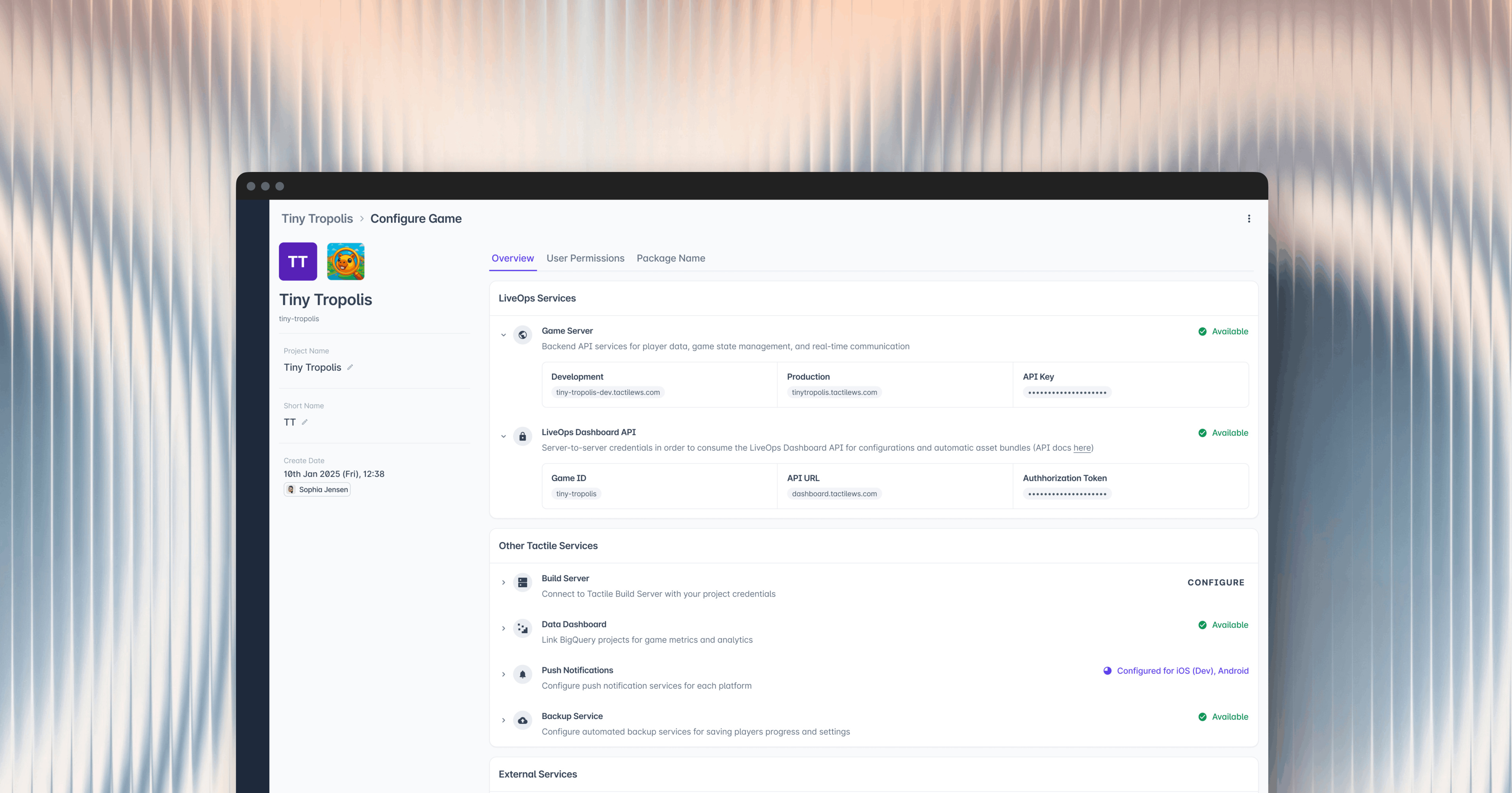
Teams land in a central overview to track progress, fix issues, and manage access over time.

— Switching between overview, permissions, and integration settings for a partially configured game.

Key tradeoffs

DecisionFromTo

Impact

Setup in ~10 minutesDown from 1–2 weeks. Teams start working the same day while services finish in the background.
+3 games per quarterGuardrails and validation also cut risky configuration errors.

Reflections

The faded screens.I faded parts of a Figma screen to explain one component, and developers built the faded UI. Now I label documentation clearly.
It never stopped changing.Every new service on the backend meant a new section in the tool. I stopped designing screens and started designing a structure that could keep growing.
It’s really a backend product.Every screen depended on what the backend could do. The closer I worked with engineering, the better the design got.