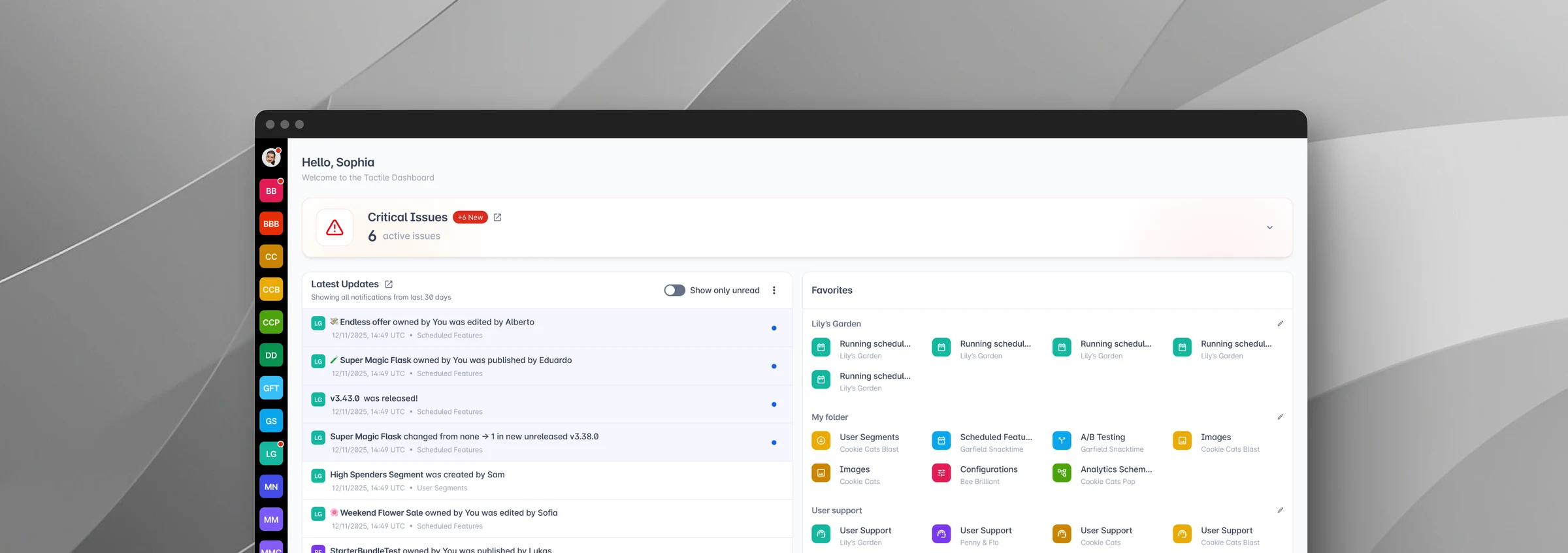
Designing a LiveOps alerting system to reduce production incidents
- Product Designer
- 3 months
- Product Manager, CTO, 2 BE Engineers, 1 FE Engineer
- Product Design, Product Strategy, Prototyping
- Things broke in production, and the people who shipped them were the last to know.
- I put failures where creators already work, and gave every one of them an owner.
- 22% fewer production incidents. Failures now surface in minutes, not hours.
Live mobile games rely on continuous updates after release.
At Tactile, updates are managed through an internal LiveOps Dashboard, where teams configure events, experiments, player targeting, and feature rollouts without shipping new app versions.
The problem
Failures were detected by backend systems, but not surfaced in the LiveOps Dashboard.
Goal
Surface backend failures to LiveOps creators early so they can act before players are affected.
Discovery
Critical signals lived outside the LiveOps Dashboard
Solution
To close the observability gap, I redesigned the LiveOps Dashboard to surface the right signals, to the right people, at the right time. The solution combines UI surfacing with ownership and subscription logic, so failures are visible, actionable, and clearly owned.
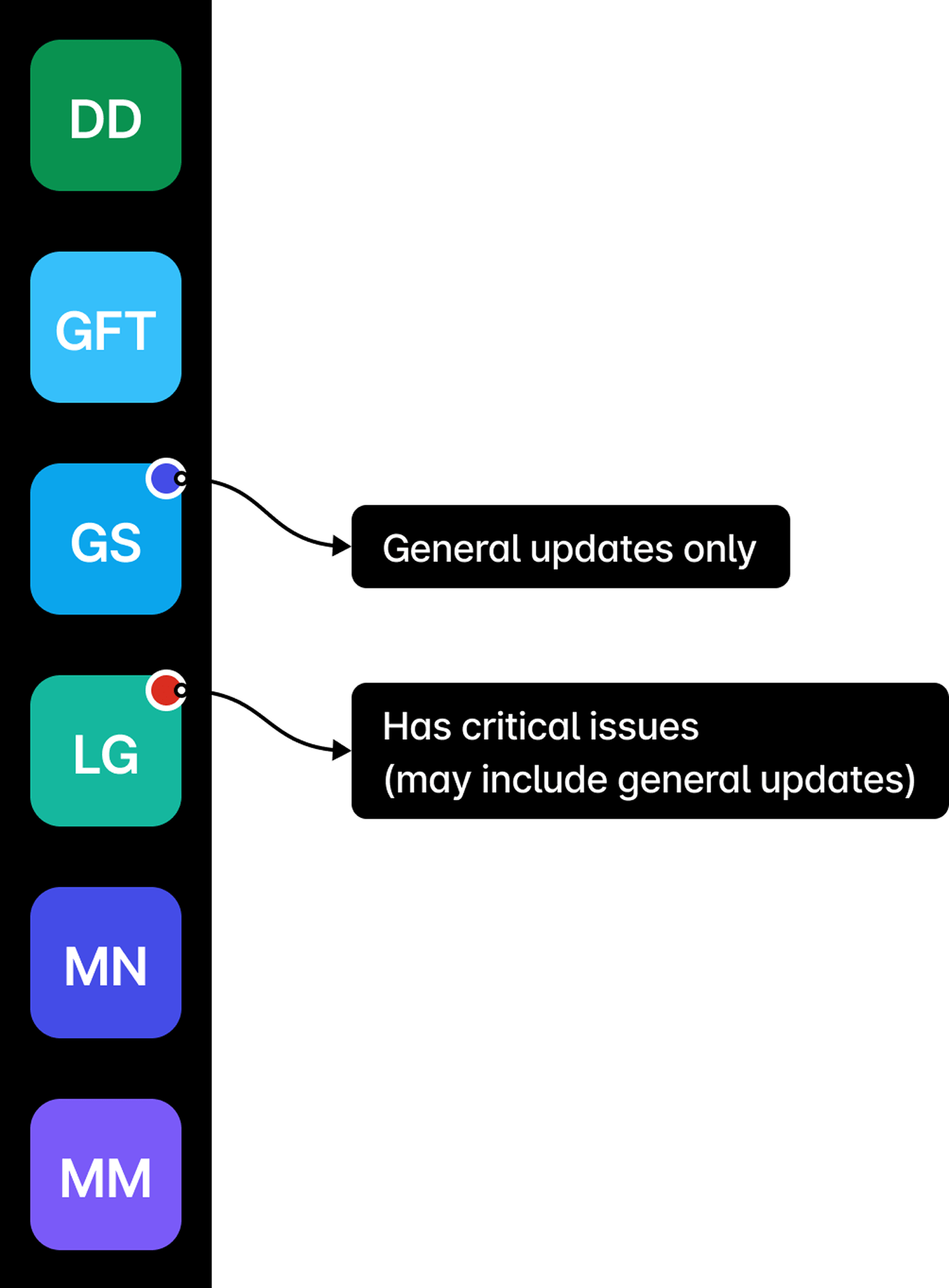
Surface failures where creators already work
I made critical states visible directly in the left-hand sidebar, where they could not be missed.
Give enough context to act
Clicking into the Critical Issues or Latest Updates views reveals structured lists with clear context.
Make every alert someone’s responsibility
Ownership and watchers
Alerting only works if responsibility is clear.
I introduced ownership as a first-class concept across LiveOps resources.
Notification settings
To balance signal and noise, I designed a subscription-based notification model.
Key tradeoffs
Impact
What I learned
Showing every update from every game to everyone was a headache. People should only see what they care about.
Disagreeing with the team about keeping critical issues on the homepage felt uncomfortable. It taught me to trust my instincts.
People are busy. Alerts have to find them, not wait for someone to open the Dashboard.